Create one campaign per Action Plan per month. Consistent naming keeps your outreach organized and your reporting clean.
Step-by-Step Instructions
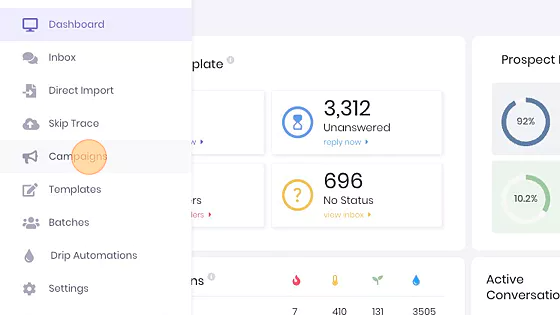
1. Navigate to Campaigns
From the main dashboard, click Campaigns in the left-hand menu.
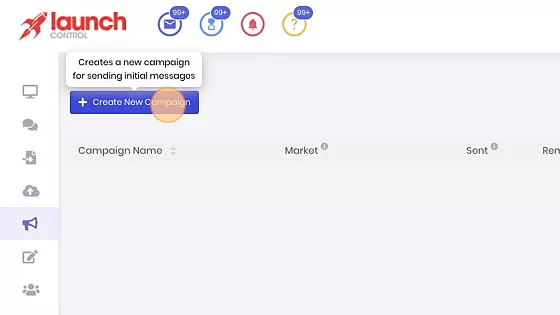
2. Click "Create New Campaign"
You will be taken to the campaign setup screen.
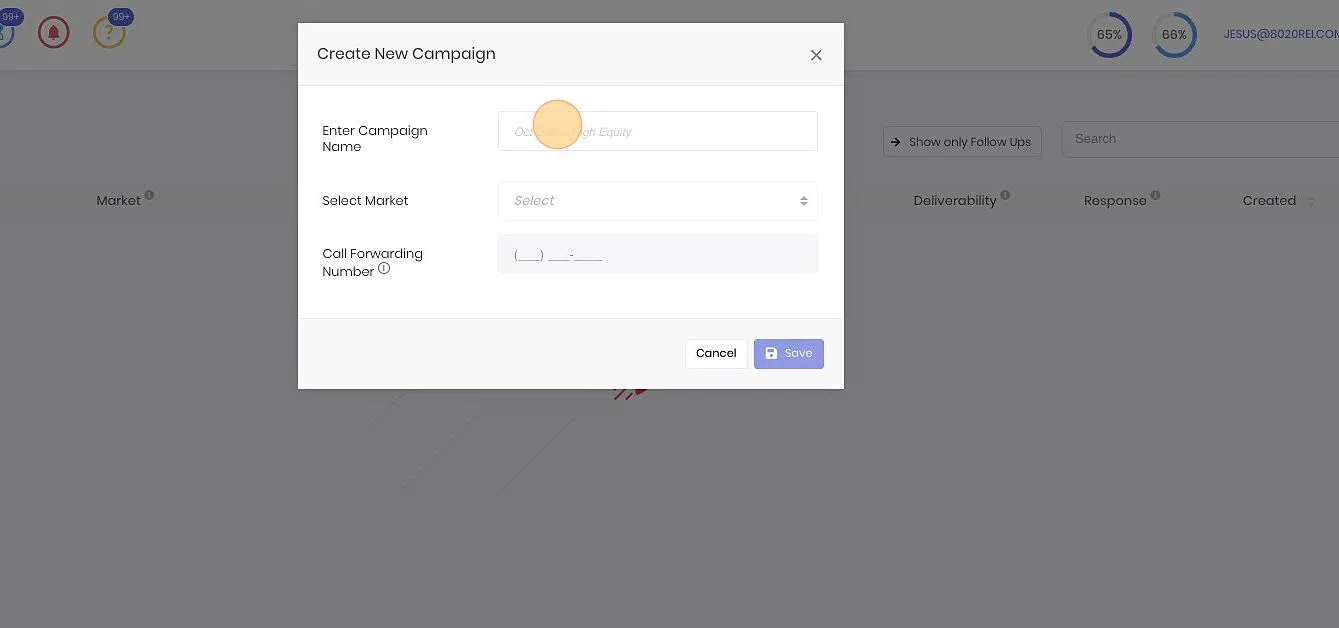
3. Name Your Campaign
Use this format in the "Enter Campaign Name" field:
YYYY-MM-ActionPlan-8020REI
Example: 2026-04-High-8020REI
This format lets you track campaign timing and purpose by Action Plan segmentation (Urgent, High, Low).
4. Save
Click "Save" to finalize and create the campaign.
Best Practices
- Standardized naming makes it easy to filter and review campaign performance later.
- Segment by Action Plan — always create separate campaigns for Urgent, High, and Low.
- Monthly cadence — align campaign names with your monthly outreach calendar.